


Table of Contents
- Before You Start: Check the Marketplace Return Policy
- Step 1: Start Your Return from Your Order History
- Step 2: Select a Return Reason and Provide Proof
- Step 3: How to Contact a Marketplace Seller About a Return
- Step 4: Pack, Label, and Ship Your Return
- Step 5: Track Your Refund and Understand Marketplace Refund Processing Time
- What to Do If a Seller Refuses Your Return or Doesn't Respond
- Frequently Asked Questions
Last Updated: October 22, 2026
Before You Start: Check the Marketplace Return Policy
The first step in learning how to return items from marketplaces is not opening a return request, it is working out which policy actually governs your purchase. Every marketplace runs on its own rules, and those rules decide whether you get a refund, an exchange, or nothing at all. At Theclothes.club, we tell every shopper the same thing: identify the policy first, because the return route and the protections available to you change depending on who sold the item and how you paid.
Identify which type of purchase you made
Before you read a single policy page, sort your order into one of three buckets. The return route differs for each:
- Marketplace checkout purchase, you paid through the platform's checkout, the order appears in your account order history, and the platform's standard return policy and buyer protection apply. This is the most straightforward case.
- Direct retailer purchase, you bought from a brand's own website or store, not through a marketplace. The retailer's own return policy applies, and the marketplace's dispute tools are not available to you.
- Person-to-person or local sale, you bought from an individual through a classifieds listing, social media, or in person. Platform protections are usually limited or absent, and the seller's own terms (often "no returns") govern. Local consumer law may still give you rights, but enforcement is harder.
A quick test: if the order does not appear in a marketplace account's order history, it is probably not a marketplace checkout purchase, and you should not expect marketplace buyer protection to cover it.
What the policy actually controls
Once you know your purchase type, read the policy for the three variables that decide the outcome:
- The return window, how many days you have from delivery. This is usually counted from the delivery date, not the order date, so check the tracking record.
- The condition rules, unworn, unopened, tags still on, original packaging. These rules are strictest for clothing, electronics, and hygiene products.
- Who pays return shipping, you, the seller, or a split. This often depends on the return reason you select later.
A marketplace return policy also changes depending on who sold the item. A marketplace seller who runs a business usually follows the platform's standard rules. An individual seller may set stricter terms or accept no returns at all. Check the seller's own policy page, not just the platform's general page.
Return rights vary by location and purchase type
Consumer return rights are not uniform. In many jurisdictions, online purchases carry a cooling-off period that lets you return an item for any reason within a set number of days, while in-person purchases often have no such right and depend entirely on the store's policy. Business sellers are usually held to clearer disclosure rules than individual sellers. If you are unsure which rules apply, check your local consumer protection authority's guidance for online purchases, it will tell you the minimum rights you have, which the seller's policy cannot override.
Save your evidence now
Check the policy on the product page and in your order confirmation email. Save a screenshot of both, plus the delivery confirmation. That proof of purchase, the stated terms, and the delivery date will matter if a dispute starts later, and they are much harder to reconstruct once a listing is edited or removed.
Step 1: Start Your Return from Your Order History
Open your account and go to order history to begin the return. Find the correct order, open the purchase details, and look for a "Return" or "Start a return" button.
Follow these steps:
- Sign in to your marketplace account
- Open order history and find the purchase
- Click the order to view purchase details
- Select Return or exchange
- Confirm the item and quantity
Guest checkout buyers need a different route. Look for a "Find your order" link in the confirmation email, or contact customer support with your order number.
What most guides miss is the timing. Start the return request the day the item arrives if something looks wrong.
Step 2: Select a Return Reason and Provide Proof
Pick the return reason that matches reality, because it decides who pays return postage. Marketplaces usually offer a dropdown with options like "damaged item," "defective item," "item not as described," or "changed my mind."
The proof needed for a marketplace return depends on the reason:
- Damaged or defective item: photos of the damage, plus the packaging
- Item not as described: photos showing the difference from the listing
- Wrong item sent: a photo of the item and its label
Take clear photos in good light. Show the whole item first, then close-ups of the fault. Keep the original packaging until the refund lands.
Be honest about the reason. A false claim can get a return request rejected, and repeated issues can affect your buyer protection status.
Step 3: How to Contact a Marketplace Seller About a Return
Contact the seller through the platform's messaging system, not by email.
Here is a short template you can adapt:
Hello, I received order #[number] on [date]. The [item] arrived with [describe the issue]. I have attached photos. I would like to return it for a refund under your return policy. Could you confirm the return authorization and send a prepaid label if applicable? Thank you.
Keep it short and factual. Include your order number, the item condition, and what you want: a refund, an exchange, or a replacement.
Seller response times vary. Many reply within a couple of days, but some take longer during busy periods. Send one follow-up message after a few days if you hear nothing.
Step 4: Pack, Label, and Ship Your Return
Pack the item the way it arrived: original box if you have it, padding around fragile parts, and all accessories included.
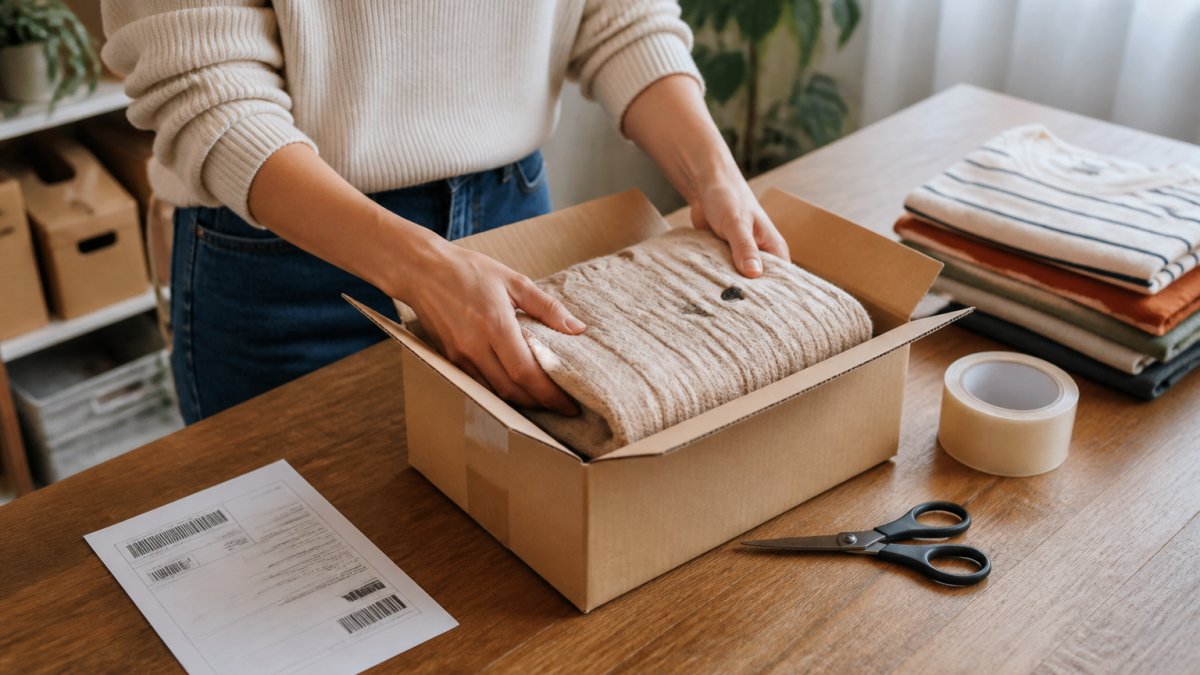
Then follow the shipping instructions:
- Prepaid label: print it, attach it, and drop the parcel at the named drop-off point
- Return authorization slip: include it inside the box
- Tracking number: save it and watch the return status
A prepaid label means the seller or platform covers return shipping. If you must pay return postage yourself, use a tracked service. Untracked returns that go missing leave you with no refund and no item.
Keep the receipt from the drop-off point until the refund clears.
Step 5: Track Your Refund and Understand Marketplace Refund Processing Time
Refund processing starts only after the seller receives and inspects the item. Marketplace refund processing time typically runs from a few days to a couple of weeks, depending on the platform, the payment method, and whether the seller inspects returns quickly.
Track your refund in three places:
- The return status in your order history
- The refund status page or email confirmation
- Your bank or card statement
Card refunds often take longer to appear than marketplace wallet credits. If the platform confirms the refund but your statement shows nothing after a reasonable wait, contact your card provider with the refund confirmation.
What to Do If a Seller Refuses Your Return or Doesn't Respond
A refused return is not the end of the process, but the order in which you escalate matters. Move through the steps below in sequence, and keep a written record at every stage, most disputes are won or lost on documentation, not on who is loudest.
Step 1: Get the refusal in writing
Ask the seller, through the platform's messaging system, for the specific reason your return was refused and which policy clause they are relying on. A written refusal is useful for two reasons: it forces the seller to commit to a position, and it gives the platform a clear record to review. If the seller refuses verbally or by phone, send a follow-up message summarizing what was said and ask them to confirm.
Step 2: Re-read the policy against the refusal
Check the refusal against the stated policy. If the seller's reason does not match the published terms, for example, they cite a condition rule that was not disclosed on the listing, you have grounds to escalate. Screenshot the policy page as it appeared when you bought the item, since policies can be edited later.
Step 3: Open a marketplace dispute
Most marketplaces have a formal dispute or resolution center. File there before the dispute window closes, and attach:
- Photos of the item and its packaging, taken before and after opening if the parcel looked damaged
- The full message thread with the seller
- Your tracking number and proof of delivery
Keep the dispute factual. State what you bought, what arrived, what the policy says, and what resolution you want.
Step 4: Escalate to platform customer support
If the dispute window passes without a resolution, escalate to customer support and reference the dispute case number. Ask for a written outcome. If the platform offers buyer protection, confirm whether your case qualifies, buyer protection usually covers items that never arrived, arrived damaged, or differ materially from the listing, but rarely covers "changed my mind" returns.
Step 5: Use your payment provider as a last resort
If the platform does not resolve the issue, contact your payment provider. Card networks and payment services have their own dispute processes, and they will ask for evidence that you tried to resolve the issue with the seller first. Have ready: the order confirmation, the policy screenshot, the message thread, the tracking record, and the platform's written outcome. Be aware that filing a payment dispute can close off the marketplace's own process, so use it only after the platform route is exhausted.
Quick reference
| Problem | Best First Move | What to Have Ready |
|---|---|---|
| Seller silent for days | Send one follow-up message, then open a dispute if still silent | Order number, photos, message thread |
| Return refused | Ask for the reason in writing and cite the policy clause | Policy screenshot, listing screenshots |
| Refund overdue | Open a marketplace dispute and reference the return tracking | Tracking number, delivery confirmation, messages |
| Item damaged in transit | File a claim with photos taken before opening | Unopened parcel photos, delivery record |
| Platform will not resolve | Contact your payment provider with the full evidence file | Order confirmation, policy, messages, platform outcome |
At Theclothes.club, we are dedicated to bringing you quality products that combine great value with a seamless and convenient shopping experience. Our free membership also gives you access to exclusive deals and new arrivals, so you can shop with confidence.
Frequently Asked Questions
Can you return something from Marketplace?
Yes, you can return items from marketplaces, but the process depends on the seller's return policy. Most platforms allow returns within a set window, typically 14 to 30 days. Check the item's listing or your order history for specific terms. Some items, like personalized goods or perishables, may be exempt. If the item is defective or not as described, you're usually covered by buyer protection even if the seller's policy is strict. Always review the marketplace return policy before starting a return request.
How do I get a refund from Marketplace?
To get a refund, start by opening a return request through your order history. Select a reason and provide proof if needed, such as photos of damage. The seller must approve the return before you ship the item back. Once the seller receives the item, they issue the refund. Marketplace refund processing time varies: it can take 5 to 10 business days after approval. If the seller doesn't respond, escalate to customer support or open a dispute. Keep tracking numbers and communication records for reference.
What should I do if a marketplace seller refuses a return?
If a seller refuses a return that you believe is valid, first review the marketplace return policy to confirm your rights. Then contact the seller politely, explaining the issue with proof. If they still refuse, escalate to the marketplace's customer support or open a dispute. Many platforms offer buyer protection that covers items not as described or defective. Provide all documentation, including photos and messages. As a last resort, you can contact your payment provider to initiate a chargeback.
Do I need to pay return shipping for a marketplace purchase?
Return shipping costs depend on the seller's policy and the reason for return. If the item is defective or incorrect, the seller usually covers return postage or provides a prepaid label. For change-of-mind returns, you may need to pay shipping costs yourself. Some marketplaces offer free returns as a perk. Check the return instructions included with your order or in the seller's policy. Always use a trackable shipping method to ensure your package arrives and you can prove delivery.
Returns can feel like a chore, but a clear process turns them into a five-minute task. Theclothes.club makes the shopping side easier with a curated range across fashion, electronics, beauty, home, and pet supplies, plus a free membership for exclusive deals. Shop now and enjoy a convenient, professional experience from order to delivery.


